
Deposit Instructions
Important: Help Us Process Your Payments Smoothly
Transfers of funds from a bank account in your own name
Please note the following:
- To ensure your payment is processed quickly and accurately, please include the correct payment reference.
- Payments with missing or incorrect references require additional administrative handling and will incur a S$20 administrative fee.
- If we are unable to identify the account for the fund deposit within 3 business days, the amount may be rejected and any applicable bank charges will be borne by you
- Providing accurate details helps us serve you better and avoid unnecessary delays or fees!
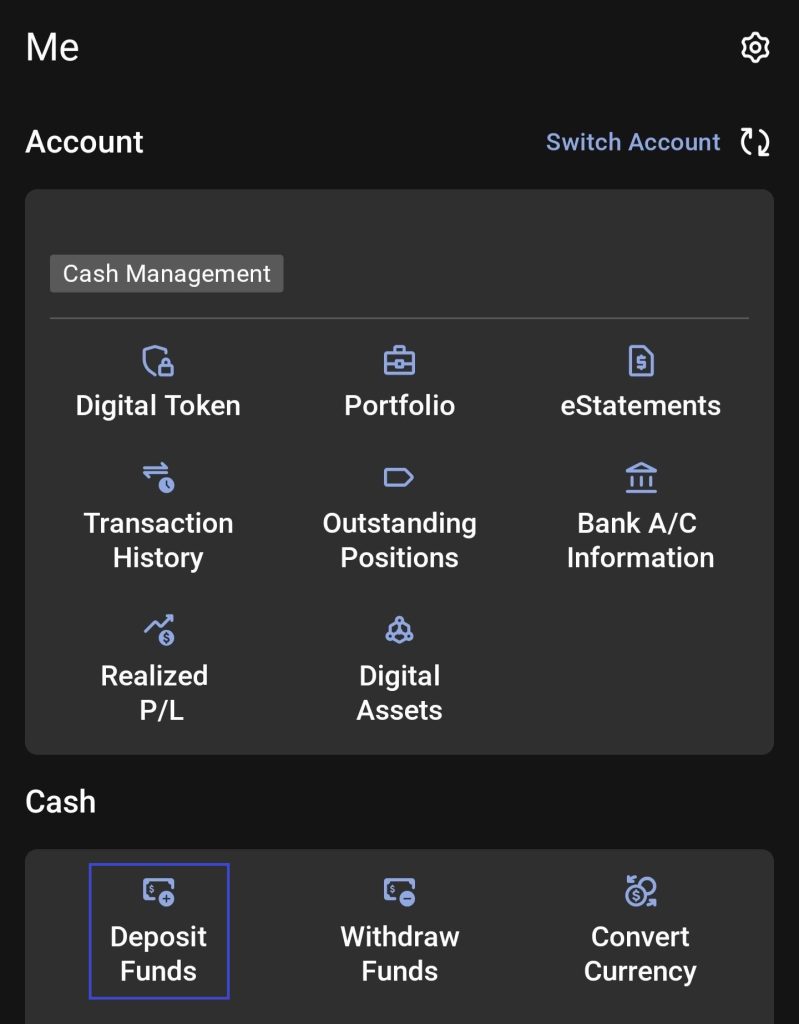
Step 1 — Go to Deposit Funds
From the home screen, go to Account → Cash → Deposit Funds
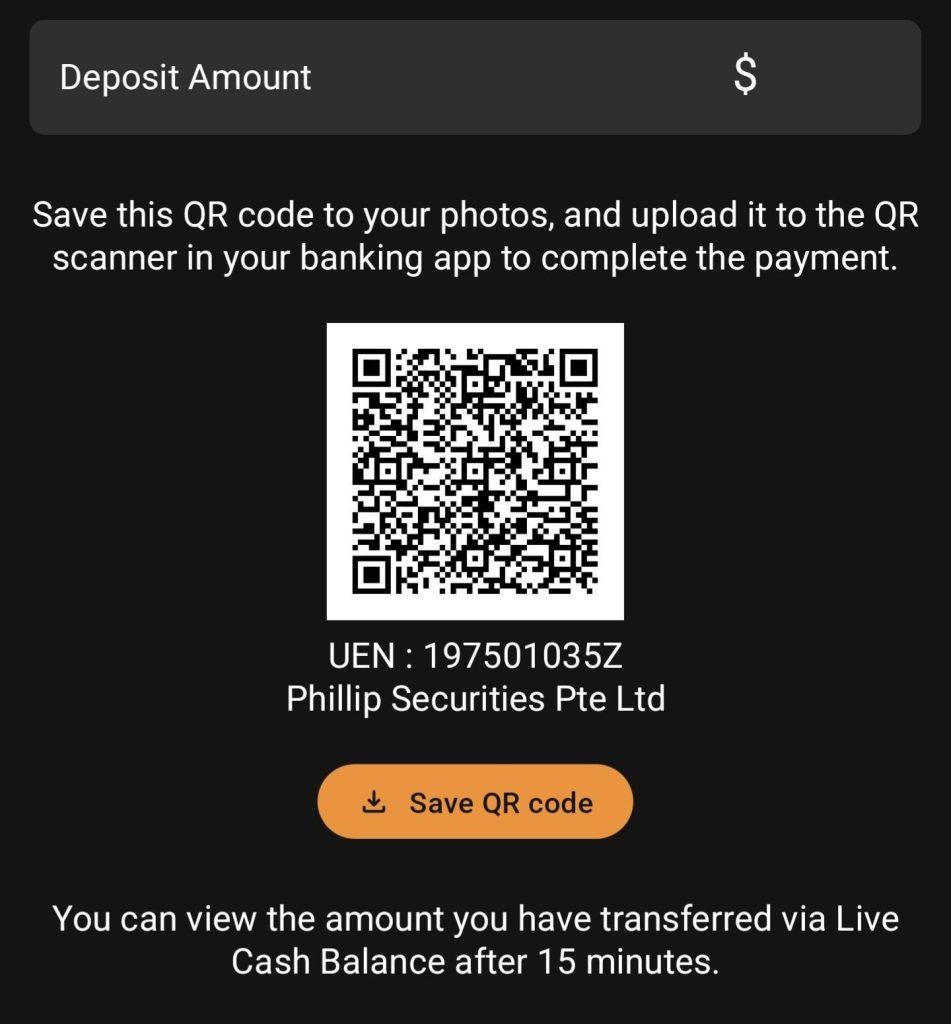
Step 2 — Select PayNow
Under All deposit methods, tap PayNow — Scan/tap the QR code to deposit funds via your bank app
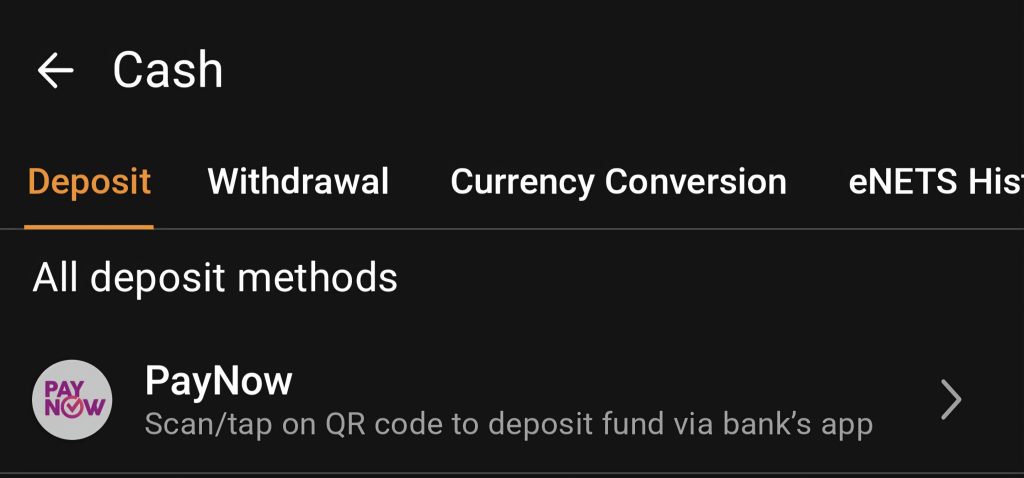
Step 3 — Save & scan QR code
Save the QR code to your photos and import it into your banking app, or scan directly. Your account reference is auto-filled. Do not amend the reference number.
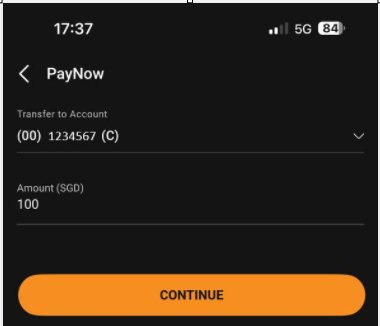
Step 4 — Complete payment in your banking app
In your bank’s PayNow screen, confirm the reference number reflects your POEMS account number, enter your desired amount and transfer.
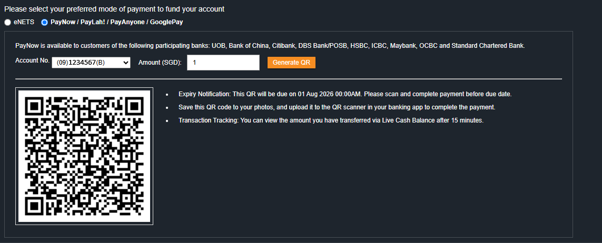
POEMS Web QR
Via POEMS platform
- Login → Acct Mgmt → Deposit Funds
- Select PayNow / PayLah! / PayAnyone / GooglePay
- Scan or import the QR code in your banking app
PayNow via UEN
Via your banking app
- Open your banking app and select PayNow
- Pay to UEN and enter the details below
- Enter your 7-digit account number in the Reference field
| Payee | Phillip Securities Pte Ltd |
| UEN | 197501035Z |
Reference is not auto-generated. Input the correct reference format before submitting.
Supported Currencies:
Phillip Securities Bank Details
| Bank Name | DBS Bank Limited, Singapore |
| Account No | 072-933506-0 |
| SWIFT Code | DBSSSGSG |
| Beneficiary | Phillip Securities Pte Ltd – MCA |
Guides for DBS Multi-Currency Account.
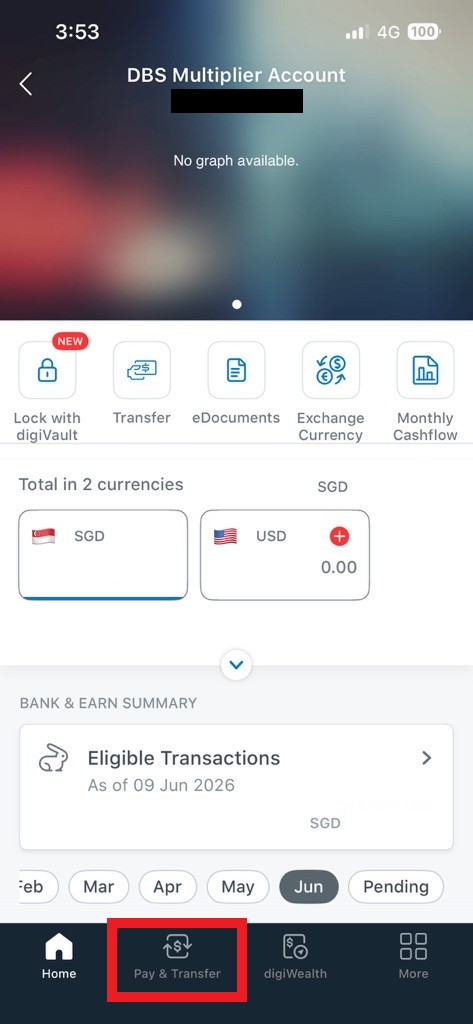
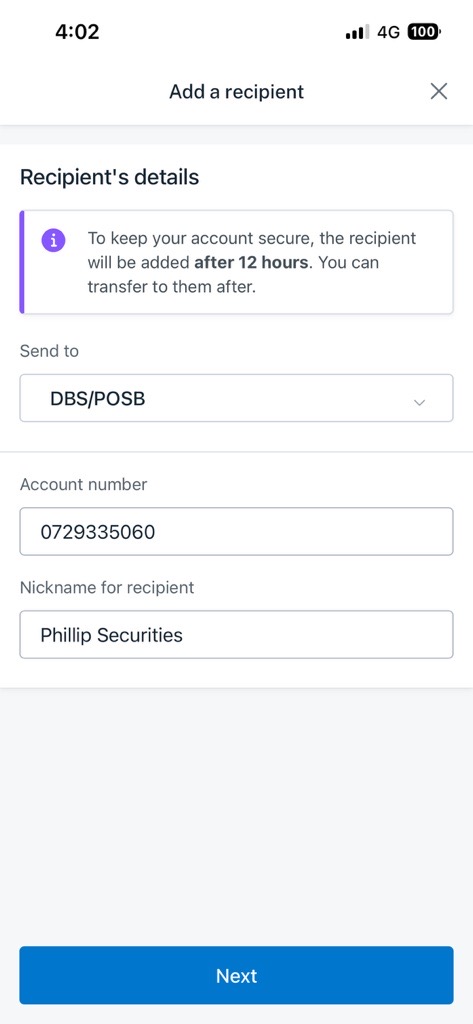
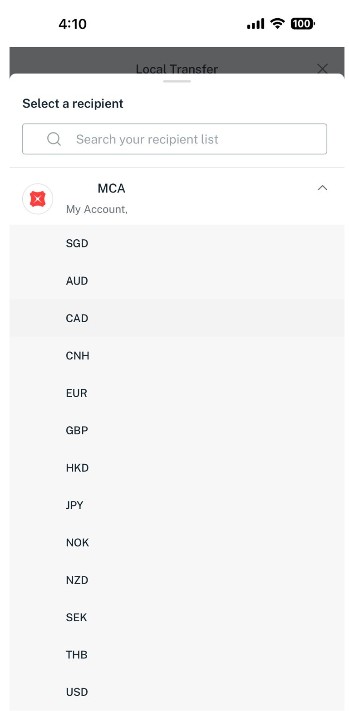
1234567). Tap Next to proceed.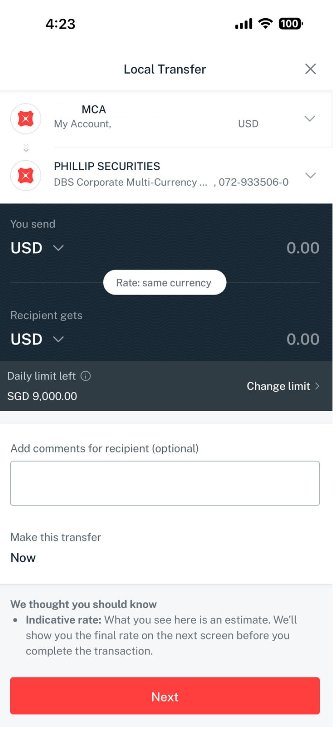
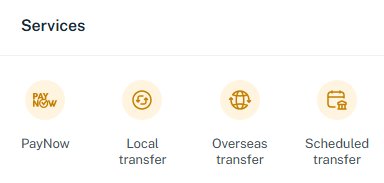
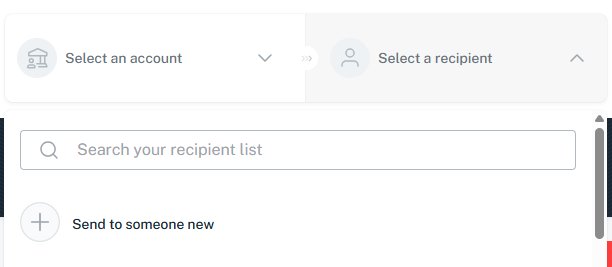
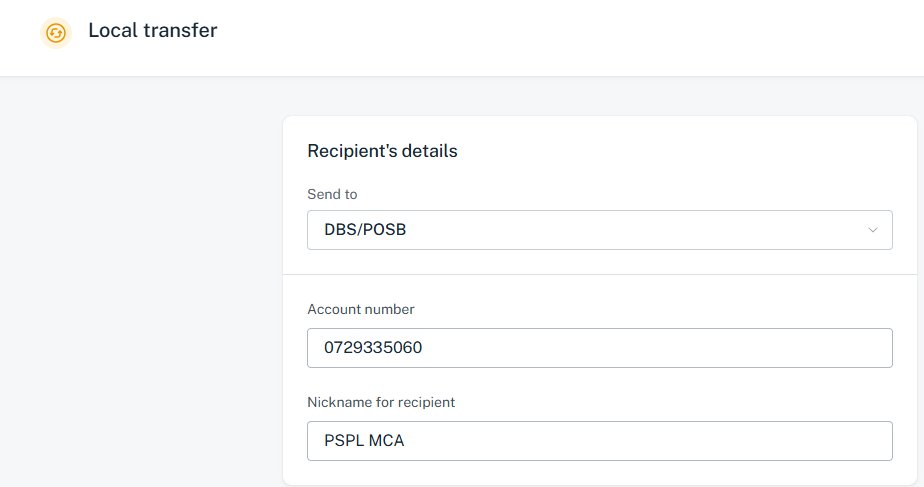
1234567). Click Next to review and confirm.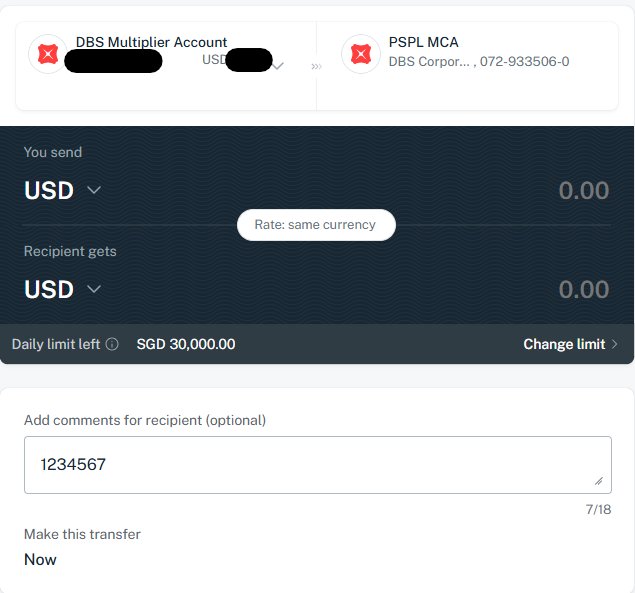
| Bank Name | United Overseas Bank Limited (UOB) |
| Beneficiary | Phillip Securities Pte Ltd |
| Account No. | 4513114936 |
About eNETS Debit
eNETS Debit is a direct debit payment method that deducts funds directly from your internet banking account. You will be redirected from POEMS to the eNETS gateway to complete authentication with your bank. Supported banks: DBS/POSB · OCBC · UOB · Standard Chartered.
Minimum deposit: S$1,000 · Reference auto-filled and No transaction cost ·
Step-by-Step Guide
Web: Go to Acct Mgmt → Deposit Fund → select eNETS. Enter your desired amount (minimum S$1,000), agree to the Terms and Conditions, and click Continue to eNETS.
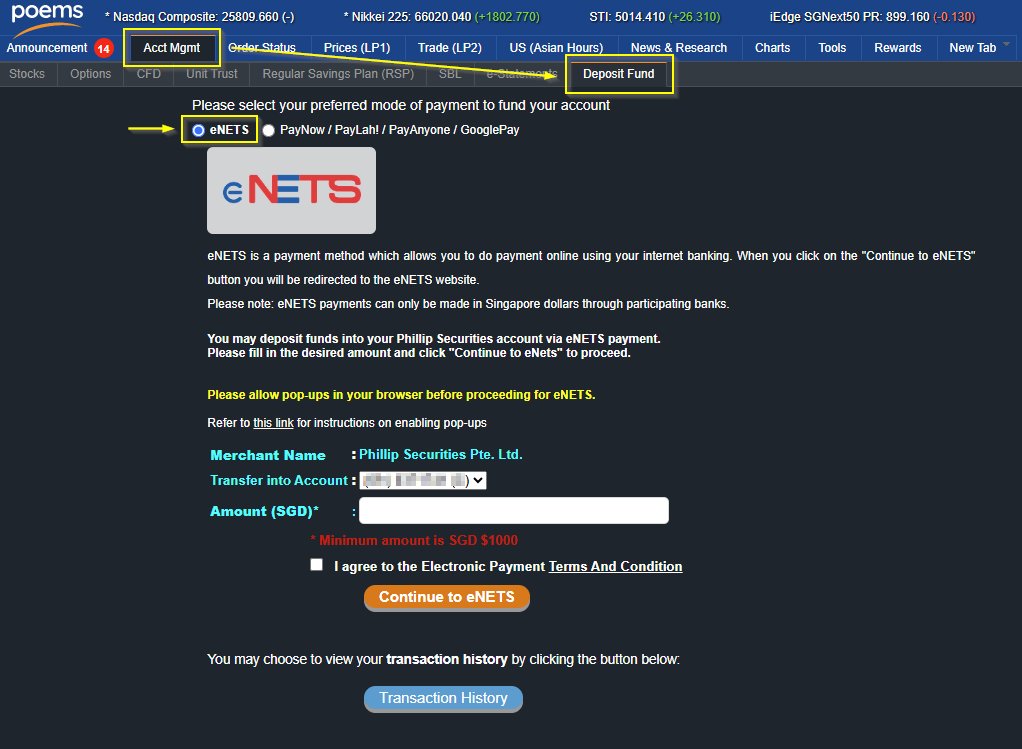
Mobile: Tap Me Tab → Deposit Funds → eNETS
- Complete a one-time bank linkage setup (DBS/POSB, UOB, OCBC, Maybank)
- Transfer via ATM or bank portal — no reference needed after setup
Processed on the next working day if submitted before 9:00 PM.
- In your bank’s portal, add “Phillip Securities Pte Ltd” as a Billing Organisation
- Enter your 7-digit account number as the bill reference
- Submit payment — credit takes 2 working days (Citibank: 5–7 days)
- Cheque must be drawn from a Singapore-based bank.
- Payable to Phillip Securities Pte Ltd.
- Write your 7-digit account number on the reverse of the cheque and deliver it to any Phillip Investor Centre.
Please instruct the bank to apply charge type “OUR”; Any additional bank charges will be debited from your account with PSPL.
| Bank Name | DBS Bank Limited, Singapore |
| Bank Address | 12 Marina Boulevard, MBFC Tower 3, DBS Asia Central, Singapore 018982 |
| Beneficiary Name | Phillip Securities Pte Ltd – MCA |
| Bank Account | 072-933506-0 |
| Swift Code | DBSSSGSG |
| Bank Name | DBS Bank Limited, Singapore |
| Bank Address | 12 Marina Boulevard, MBFC Tower 3, DBS Asia Central, Singapore 018982 |
| Beneficiary Name | Phillip Securities Pte Ltd – MCA |
| Bank Account | 072-933506-0 |
| Swift Code | DBSSSGSG |
| Agent Bank | JPMorgan Chase Bank, N.A., New York, USA |
| Swift BIC | CHASUS33 |
| Bank Name | Maybank Malaysia |
| Bank Address | 100 Jalan Tun Perak, 50050 Kuala Lumpur, Malaysia |
| Beneficiary Name | Phillip Securities Pte Ltd – Trust Account |
| Bank Account | 514-011-392-951 |
| Swift Code | MBBEMYKL |
Frequently Asked Questions
First check that the payment reference matches your 7-digit account number exactly. If correct, allow for the standard processing window (up to 15 minutes for instant methods, 1–2 days for standard). If funds still haven’t appeared after that window, contact us at talktophillip@phillip.com.sg with your transfer receipt.
Contact us immediately at talktophillip@phillip.com.sg if you believe you’ve entered an incorrect reference. Your payment will require manual processing and a S$20 + GST administration fee will be debited from your account. If we cannot identify your account within 3 business days, the amount may be rejected.
Refund timelines after a rejected payment: PayNow — up to 1 week. All other methods — at least 2 weeks. Any bank charges incurred.will be bear by client.
All methods (daily): 5:00 AM – 6:00 AM and 11:30 PM – 12:00 AM
CFD accounts (additional): Mon–Fri 6:00 AM – 6:40 AM, and Saturday 6:00 AM through Monday 7:00 AM
PSPL processes deposits strictly based on the trading account number in the payment reference. Do not include names, descriptions, or symbols.
- Fewer than 7 digits? Add a leading zero. Eg:
- Trading Account:
0123456 - CFD Accounts:
0123456CFD
Do not include names, dashes, or spaces.