
Frequently Asked Questions
Demo Account
I do not have a POEMS account. How do I sign up as a registered user to use POEMS Mobile 3 App?
Simply download our POEMS Mobile 3 App on App Store/Google Play Store and sign up as a registered user using your mobile number or email address.
For sign-ups using mobile number:
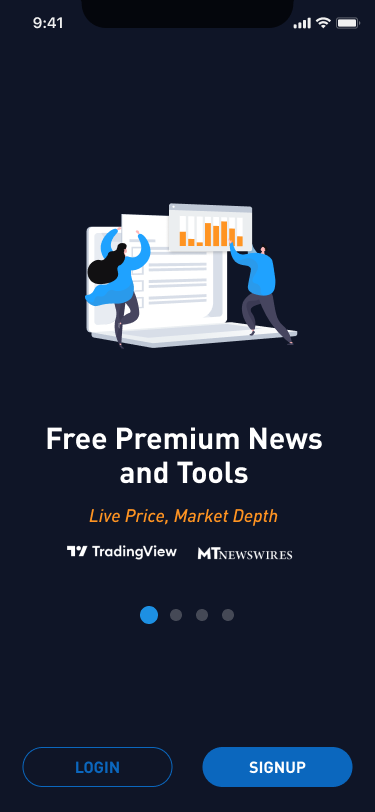 Step 1: Launch POEMS Mobile 3 App and select the ‘SIGNUP’ button
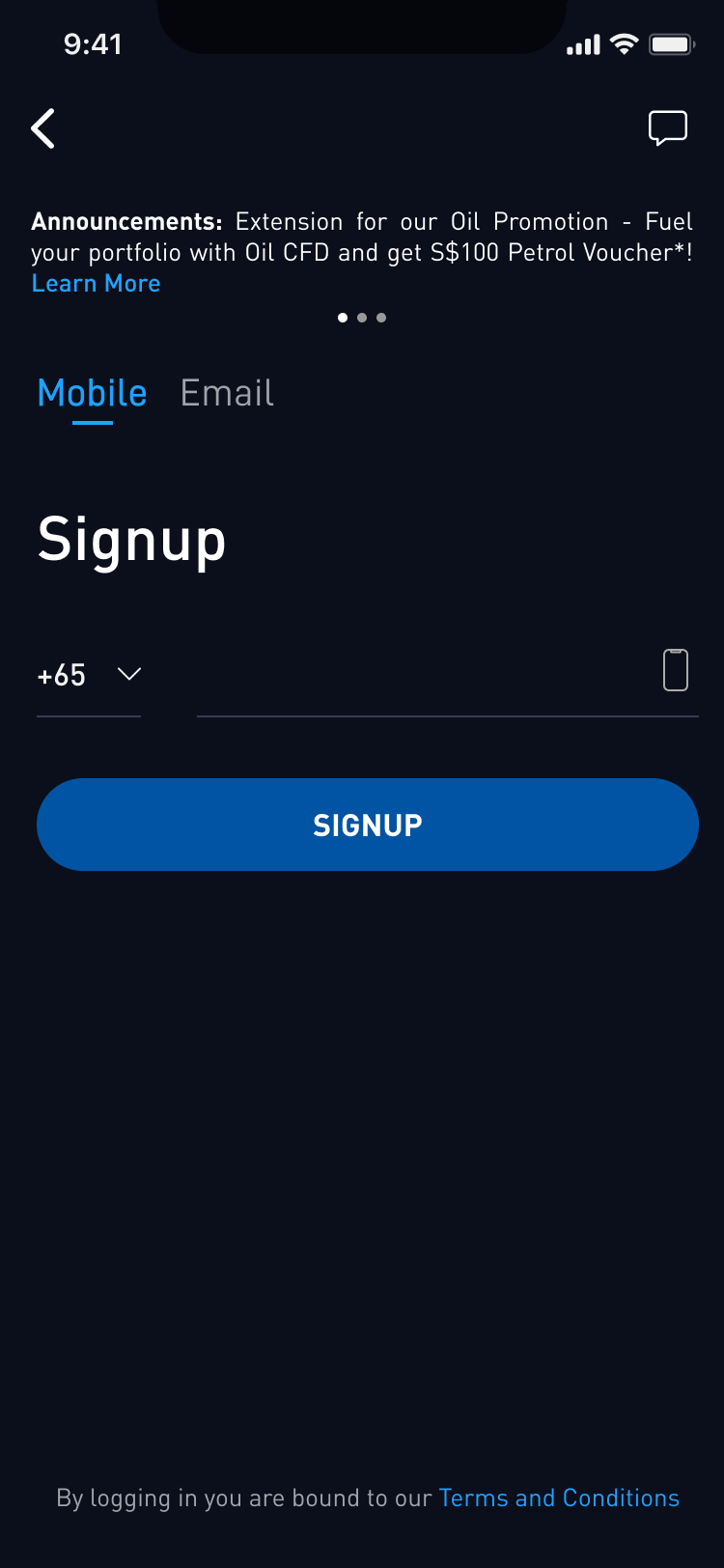 Step 2: Enter your mobile number based on your country code
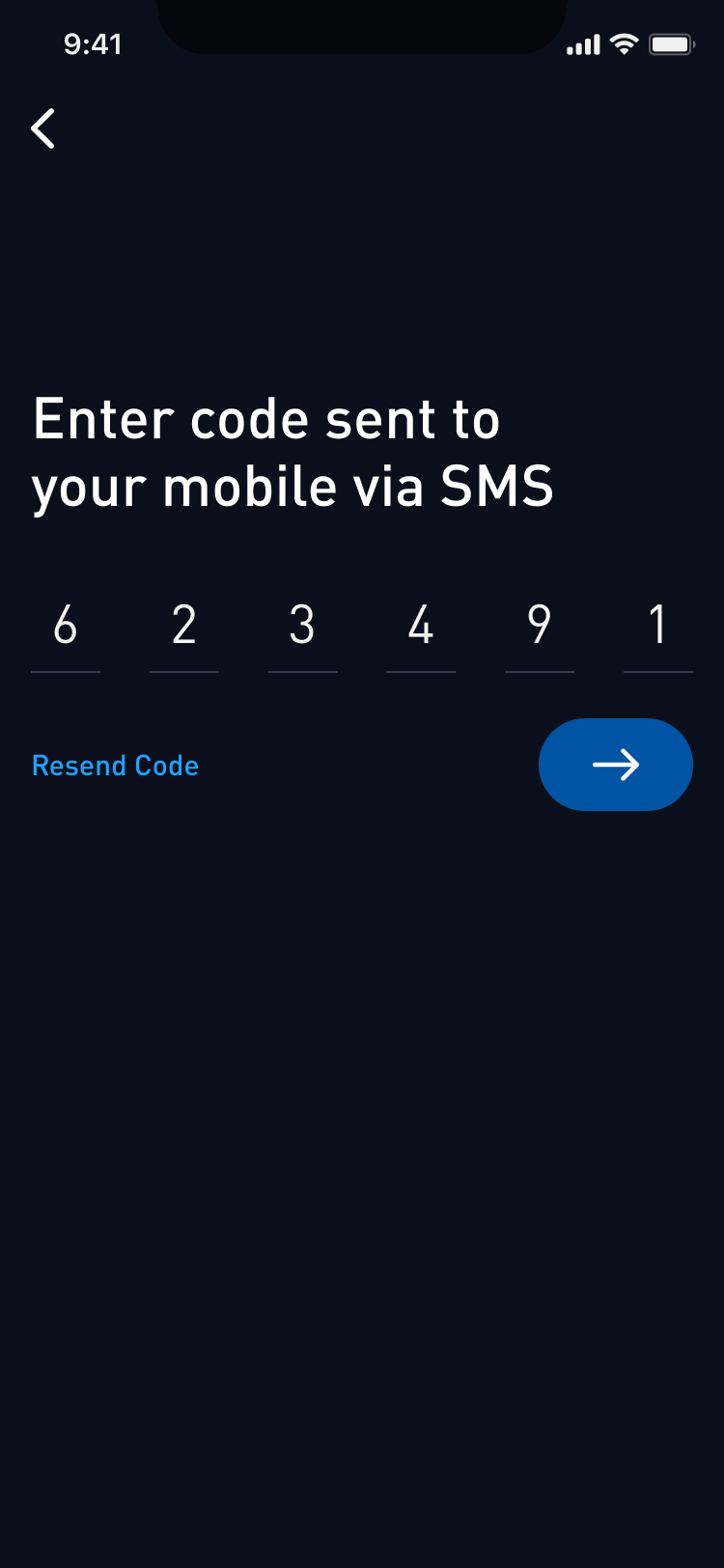 Step 3: Enter the code sent to your mobile via SMS for verification
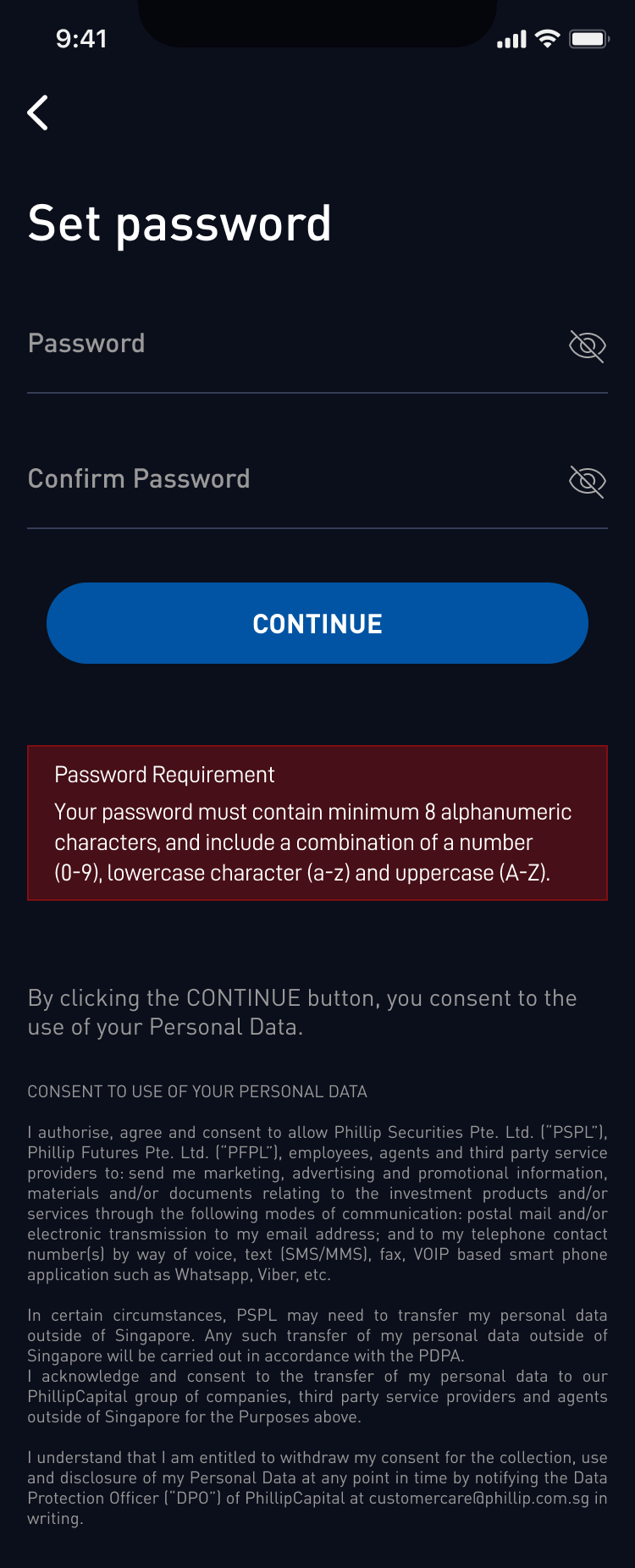 Step 4: Set your password to register
For sign-ups using an email address:
Step 1: Launch POEMS Mobile 3 App and select the ‘SIGNUP’ button
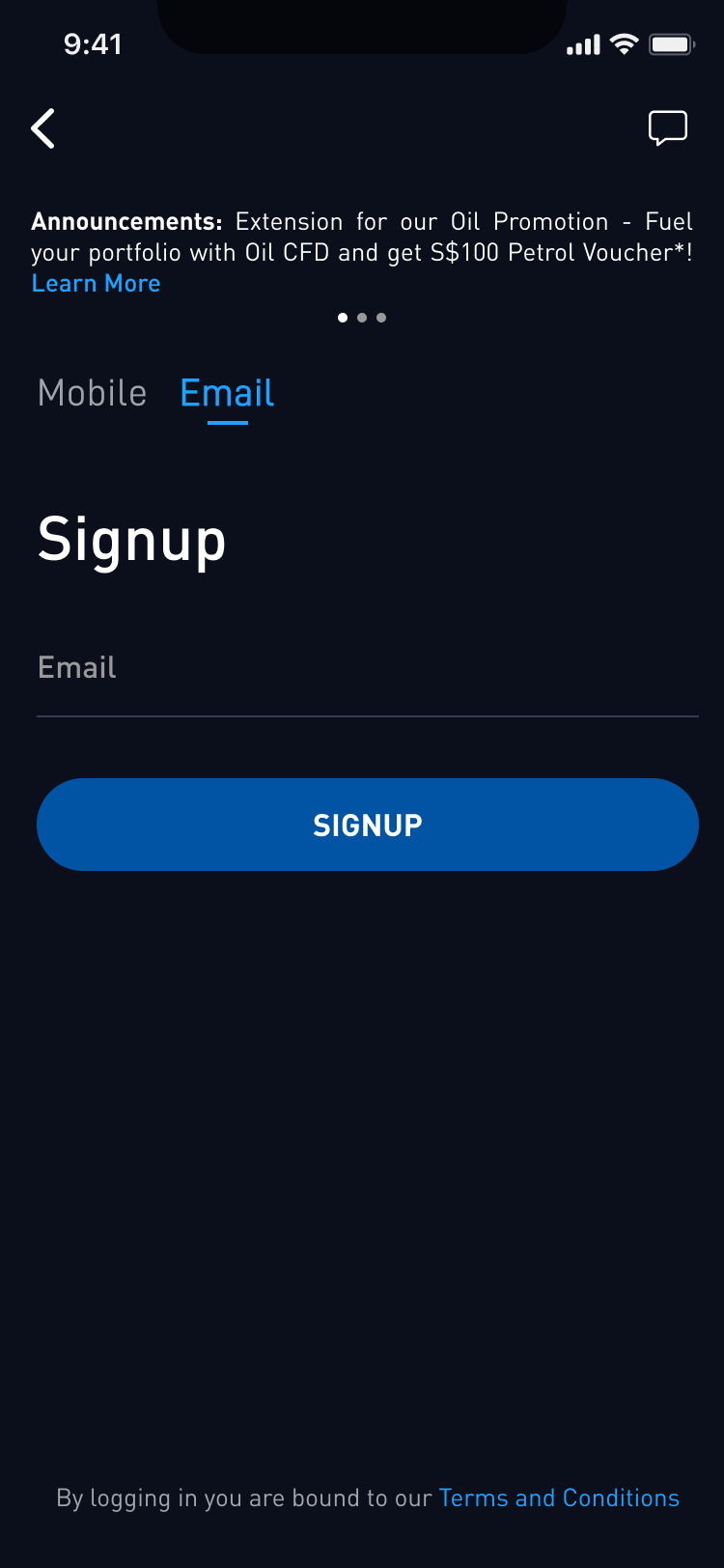 Step 2: Enter your Email Address
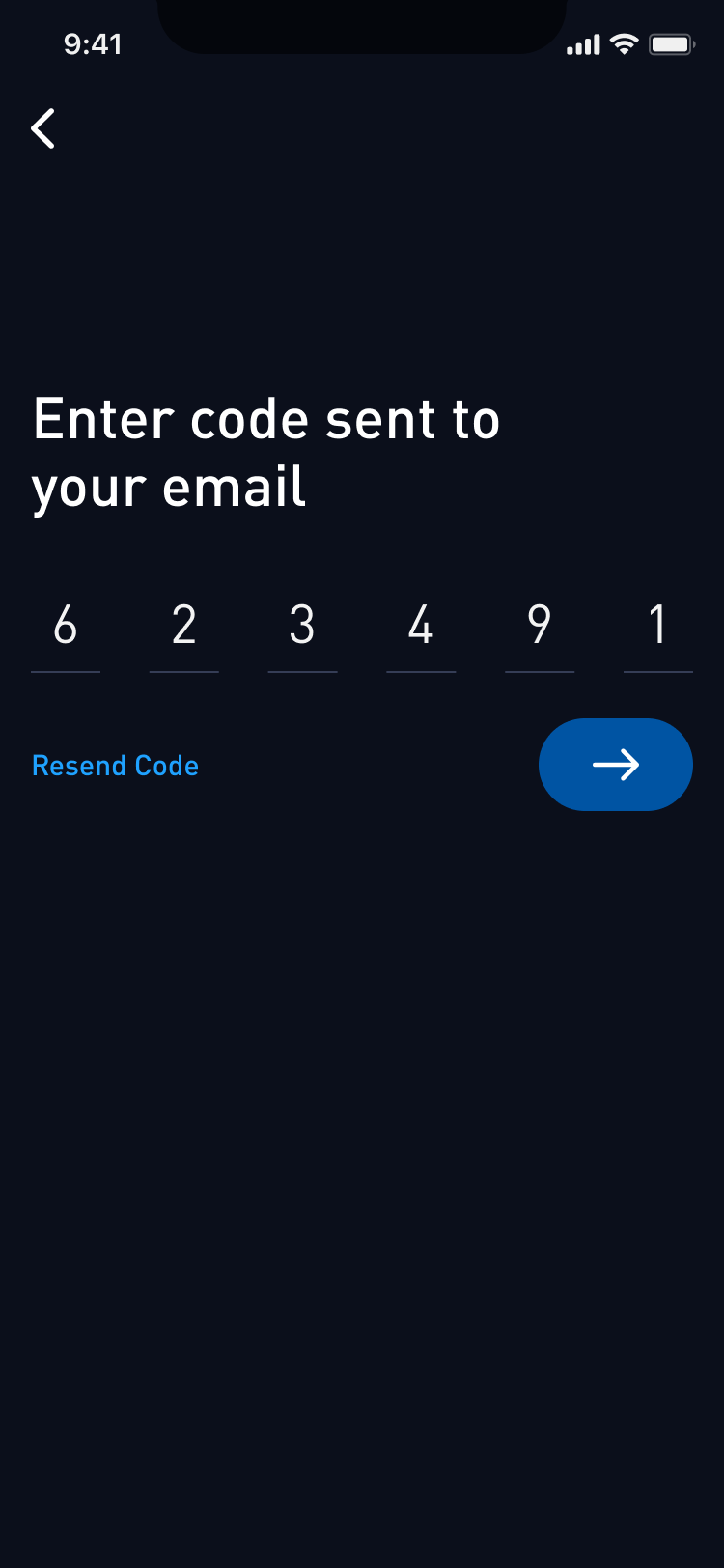 Step 3: Enter the code sent to your email address for verification
Step 4: Set your password to register
Step 3: Enter the code sent to your email address for verification
Step 4: Set your password to register
Other faq that might help you
- What is the POEMS Demo Account?
- How do I register for a POEMS Demo account?
- What are the trading platforms that I can access with the POEMS demo account?
- How long does a POEMS demo account last?
- Can I renew my POEMS demo account?
- Can I open multiple POEMS demo accounts?
- Why are there ‘Lock’ icons on some of the tabs in the POEMS 2.0 Demo?
- What are the products currently available in POEMS 2.0 Demo?
- I forgot my demo username and password. How can I retrieve them?
- What are the different exchanges available for Stocks?
- Where can I view my contracts and settlement details?
- Are the prices listed for the different exchanges displaying live or delayed feeds?
Did this answer your question?