
Frequently Asked Questions
POEMS 2.0
Can I update my contact details via POEMS 2.0?
you may go to “My Settings” > “My Account” > “Update Particulars” to update your particulars such as your mailing address, email address and mobile number.
However, for security purposes, this feature is only available for accounts with Two-Factor Authentication (2FA) enabled.
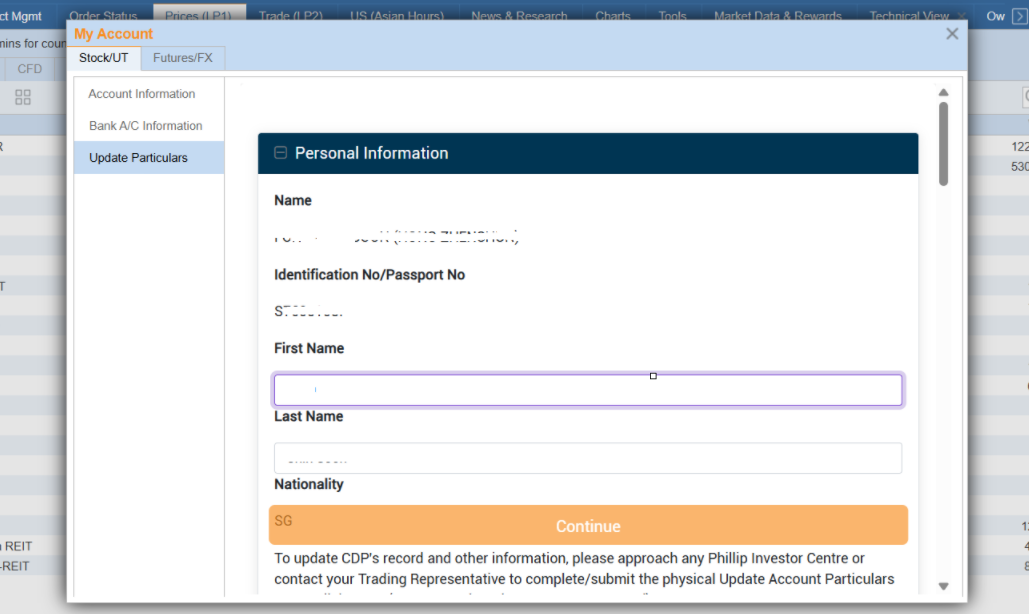
Alternatively, you may complete the Update Particulars form and email it to apu@phillip.com.sg using your registered email address with Phillip Securities Pte Ltd.
Other faq that might help you
- How do I log in to POEMS 2.0?
- What products are available in POEMS 2.0?
- How do I search for a counter?
- What are the exchanges / markets supported for equities on POEMS 2.0?
- How do I submit a trade?
- How do I trade Unit Share (SGX)?
- How do I view my orders?
- How do I view Time & Sales, Trade Summary and Market Depth?
- How do I view my outstanding positions for Stocks?
- How do I view my holdings?
- What is the difference between a Tab and a Widget in POEMS 2.0?
- How do I add a new Tab?
- How do I customise my workspace?
- How do I remove/rename a Tab that I have created?
- Will I be able to keep my customisations after logging off?
- Can I restore original settings after all the customisations?
- Can I change my password via POEMS 2.0?
- Can I change the duration after which POEMS 2.0 automatically logs me out?
- Can I submit a Buy or Sell order of more than 1,000,000 quantity in POEMS 2.0?
- What are the minimum system specifications required to use POEMS 2.0?
- Why am I seeing delayed prices for foreign markets?
- Can I amend my orders after placing them on POEMS 2.0?
Did this answer your question?